
4th Grade

Happy Birthday Card
Today we will make Happy Birthday Cards for Monsignor. Please use the template below for your card. To this template you will add words of celebration and picture(s).
- For the Birthday message, please see the document below and choose one fo the saying that you feel Monsignor will appreciate. You may then copy and paste it onto your card.
- Visit Google and find appropriate picture(s) to go along with your saying.
- Picture ideas
- Balloons
- Flowers
- Rainbows
- Stuffed Animals
- Cute Animals
- Remember, when you are doing your Google image search to click on seacrh tools and change the license filter to "Labeled for reuse"
- Once you have finished, please upload the file to dropbox.
- Use either spx6D@shegog.com or spx6P@shegog.com with the usual password depending on which class you are in


4th Grade Safety Exercises
Please complete the exercises below


Please login using
Login - spx first inital + last name
example - spxdshegog
Password- same as all year

Lemonade Stand is back!!
Please click on one of the links below to play.

Today you will choose one of the coding activities below to help you get better acquainted with coding.
First Day in Technology
Please open and read the directions for Tagxedo. The click on the link below.

Username - FirstLetter of your first name + Full last name ex. Don Shegog = dshegog
Password - the usual
School Code - 215233
 Invasion of the Wireless Hackers
 Case of the Cyber Criminal
 Admongo.gov

7th Grade



Mrs. Rothweiler's 5th Grade Class
Mrs. DiCarlo's 6th Grade Class
Ms. Foster's 7th Grade Class - Class Code c60054
Mrs. Liebal's 7th Grade Class - Class Code 564356
7th Grade Digital StoryTelling
username - spx2015
password - Please ask Mr. Shegog if you do not know
iCivics

Today you will work in iCivics.
Please sign up for an account using the following information:
email account - spxnc1+yourname6@gmail.com
password - spX2015!
Please let me know once you login so I can verify your account.
Once your account has been verified, please log back in and join the class Mrs. DiCarlo by clicking on the class tab and using the code Burger18822
Then complete the assignment listed.
Doodle 4 Google
Doodle 4 Google Entry Form
Please complete the Google form below so your 'Doodle' can be enterd into the contest.
Doodle for Google information
8th Grade Doodle 4 Google & W.E.G.
Possible Drawing Programs
Username - 8m@shegog.com
Look on the board for the password

Today you will work on Logic puzzles. Please click on the link below and complete all 20 items to the best of your ability.
Once you have finished the visual puzzles, Please choose 1 of the links below and complete the logic puzzle found there. Once you have finished the puzzle, please call Mr. Shegog over to verify your answers.
6th Grade Allies & Aliens

Today you will be completing Day 2 of the online exercise Allies and Aliens.
You will need your earbuds for this exercise.
Please click on the image above and complete day 2 of the exercise.
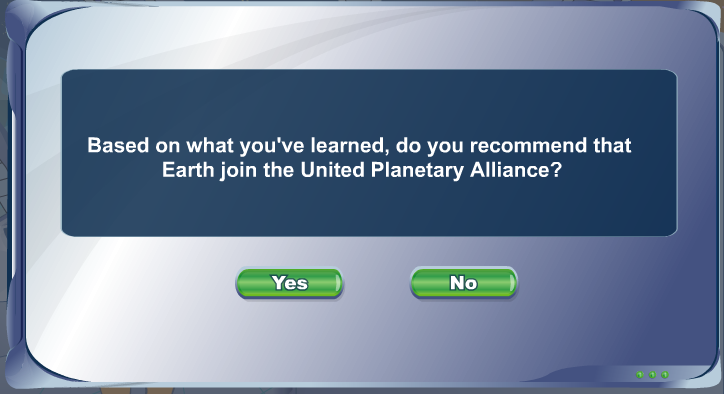
When you see the image above, please stop and answer the question below:
7th Grade Digital StoryTelling

Please use the links below to help you complete your digital story.
If you need help coming up with a story, you can use one of the story generators below
Click here to submit your story idea
World Education Games
6th Grade Animoto
Please download the handout below and follow the directions.







 Print
Print 